Accessability Violation Logging: Difference between revisions
From CS486wiki
Jump to navigationJump to search
Content deleted Content added
| (30 intermediate revisions by the same user not shown) | |||
| Line 5: | Line 5: | ||
* Raise awareness about disabilities and people with special need |
* Raise awareness about disabilities and people with special need |
||
* Enhance the cooperation and participation in the disable community |
* Enhance the cooperation and participation in the disable community |
||
==Application Features== |
|||
* Registration : User can register with their username, mail address and password |
|||
* Map of violations : User can see violations' icons. Different icons for different type of violations. Map view also has textview for search by locations. User can see violations all over the world. It has also zoom in and zoom out button. When user click the icon of violation, it pops ups window and shows title and location |
|||
*Comment: Users can comment to violations |
|||
*Edit: User can edit violations. |
|||
* Report violation : User can report violation by typing Title, Description, Type, Status and Address. If location of violation is in Vestal, application automatically sends e-mail to ssd[at]binghamton.edu |
|||
***Status: Status can be Detected, In Progress, Still Same and Fixed |
|||
***Type : 3 types of violations, these are blindness, paralyzedness and deafness |
|||
***Location: User can type address manually or by getting current location through GPS |
|||
* Search violations : User can search violations by Location, Keyword or Status |
|||
==Screencast of Application== |
==Screencast of Application== |
||
===Login=== |
===Login=== |
||
[[File:acc_login.png]] [[File:acc_forgot.png]] |
'''Login''' [[File:acc_login.png]] '''Forgot Password'''[[File:acc_forgot.png]] |
||
===Register=== |
===Register=== |
||
[[File:acc_register.png]] |
'''Registration''' [[File:acc_register.png]] |
||
===Map=== |
===Map=== |
||
[[File:acc_mapo.png]] [[File:acc_mapsearch.png]] |
'''Main Map''' [[File:acc_mapo.png]] '''Search on Map''' [[File:acc_mapsearch.png]] |
||
'''Search Result''' [[File:acc_mapresult.png]] |
|||
===Search=== |
===Search=== |
||
[[File:acc_search.png]] [[File:acc_result.png]] [[File:acc_view.png]] |
'''Search'' [[File:acc_search.png]] '''Search Result''' [[File:acc_result.png]] '''View of violations'' [[File:acc_view.png]] |
||
===Registered User=== |
===Registered User=== |
||
[[File: |
'''Main registered screen'''[[File:ac_registered.png]] '''Report Violation'''[[File:acc_report.png]] |
||
''Comment''[[File:acc_comment.png]] |
|||
'''Update violation'''[[File:acc_update1.png]] '''Update violation'''[[File:acc_update2.png]] |
|||
== Database== |
|||
===Tables=== |
|||
There are three tables for database. |
|||
*User Table |
|||
[[File:acc_data1.png]] |
|||
*Comment Table |
|||
[[File:acc_data2.png]] |
|||
*Reports Table |
|||
[[File:acc_data3.png]] |
|||
===Json results=== |
|||
[[File:jsonreport.png]] |
|||
[[File:jsoncomment.png]] |
|||
==Platforms== |
|||
Eclipse, Java, Google map api, JSON, PHP, phpMyAdmin, inmotionhosting |
|||
==Developer== |
|||
Enes Uncuoglu |
|||
Latest revision as of 15:44, 9 May 2013
Introduction
Accessibility Violations is a project that will help users to report current violations in an Android based application. The system shall be designed for the favor of community in terms of accessibility. It shall do this by allowing users to post the accessibility violations. With the help of this product, individuals will be informed about the accessibility violations around their neighborhood that might affect their daily lives.
Goals
- Accessible world for everybody
- Raise awareness about disabilities and people with special need
- Enhance the cooperation and participation in the disable community
Application Features
- Registration : User can register with their username, mail address and password
- Map of violations : User can see violations' icons. Different icons for different type of violations. Map view also has textview for search by locations. User can see violations all over the world. It has also zoom in and zoom out button. When user click the icon of violation, it pops ups window and shows title and location
- Comment: Users can comment to violations
- Edit: User can edit violations.
- Report violation : User can report violation by typing Title, Description, Type, Status and Address. If location of violation is in Vestal, application automatically sends e-mail to ssd[at]binghamton.edu
- Status: Status can be Detected, In Progress, Still Same and Fixed
- Type : 3 types of violations, these are blindness, paralyzedness and deafness
- Location: User can type address manually or by getting current location through GPS
- Search violations : User can search violations by Location, Keyword or Status
Screencast of Application
Login
LoginForgot Password
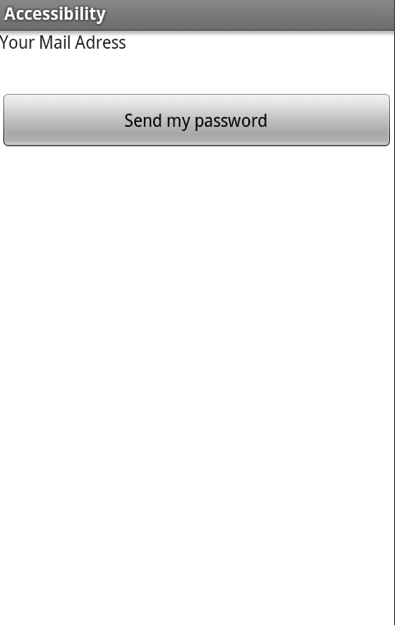


Register
Registration 
Map
Main Map  Search on Map
Search Result 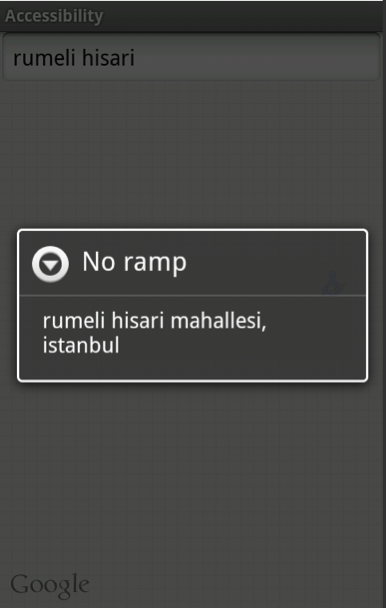

Search
SearchSearch Result
View of violations
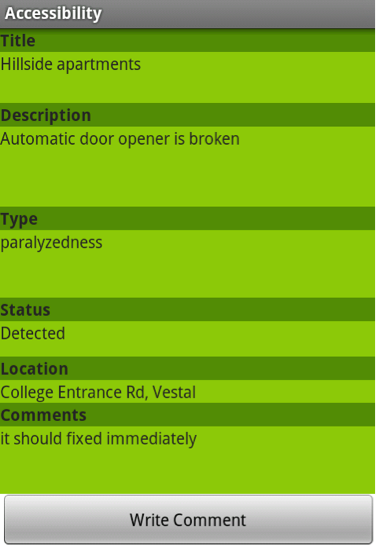


Registered User
Main registered screen Report Violation
Comment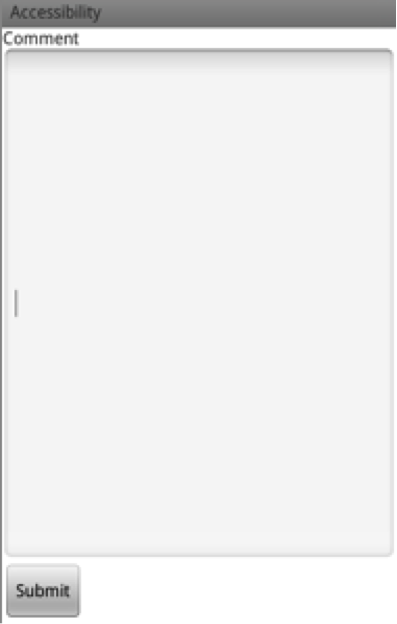

Update violation Update violation
Database
Tables
There are three tables for database.
- User Table

- Comment Table

- Reports Table

Json results


Platforms
Eclipse, Java, Google map api, JSON, PHP, phpMyAdmin, inmotionhosting
Developer
Enes Uncuoglu
