Cross platform Mobile Development: Difference between revisions
No edit summary (change visibility) |
No edit summary (change visibility) |
||
| (2 intermediate revisions by the same user not shown) | |||
| Line 24: | Line 24: | ||
=== '''Usage in Android'''=== |
=== '''Usage in Android'''=== |
||
*First of all you have to setup Eclipse for Java and then you need to install SDK to be able to design an Android Project. |
*First of all you have to setup Eclipse for Java and then you need to install SDK to be able to design an Android Project. |
||
*In your project you need to create a new folder called "libs". In this folder you need to copy a file called "cordova- |
*In your project you need to create a new folder called "libs". In this folder you need to copy a file called "cordova-x.x.x.jar". You can download this file from the site of PhoneGap. |
||
*In the project, you need to go to the assets folder and in assets folder you need to create a new folder called "www". You will push all your .css and .html files here. |
*In the project, you need to go to the assets folder and in assets folder you need to create a new folder called "www". You will push all your .css and .html files here. |
||
*After you have done the previous step, you need to create a new folder inside the the www folder called "js". In this folder you will push the files "jquery- |
*After you have done the previous step, you need to create a new folder inside the the www folder called "js". In this folder you will push the files "jquery-x.x.x.js" and "jquery-x.x.x.min.js". |
||
*After all previous steps, all the code you need to import necessary libraries in your main project and one line of code that is the code below. Also, you need to extend your java class to the DroidGap. |
*After all previous steps, all the code you need to import necessary libraries in your main project and one line of code that is the code below. Also, you need to extend your java class to the DroidGap. |
||
| Line 37: | Line 37: | ||
=== '''Usage in Xcode'''=== |
=== '''Usage in Xcode'''=== |
||
*First of all, you need to install Xcode to your machine then download the PhoneGap installer from the site of PhoneGap. There is a .dmg file in the folder called "cordova-x.x.x.dmg". When you mount the image to your machine, from that mounted directory, execute the .pkg executable. It will install PhoneGap to your machine. |
|||
*Then, go to the Xcode and create a new Cordova-based Application. |
|||
*When you create your project, you need to drag the file "www" and drop it into your project. Then, some options will appear for adding these files. You have to select "Create folder references for any added folders" option. Click finish. |
|||
*You need to push your .css and .html codes into the "www" folder. |
|||
*No libraries need. |
|||
*You do not need to write any code into your Xcode project. "index.html" file in "www" folder will run default when you debug your project. |
|||
=== '''CSS Design'''=== |
=== '''CSS Design'''=== |
||
| Line 48: | Line 55: | ||
== '''Personal Opinion of Using PhoneGap''' == |
== '''Personal Opinion of Using PhoneGap''' == |
||
PhoneGap is really a good platform if you are designing simple application. All you need to do is create .html and .css files and push them into your project whether your platform is Android, Iphone, Blackberry, Symbian, ext. However, if you would like to design a complex application such as Parris Foundation Project, you will need to use a script language and here you may face a lot of problems. Actually, all of the codes that work on your normal web browser, needs to work on PhoneGap however it does not. For example, i was trying to connect to an external host to get some information. Although it was working on web browsers, it did not work on PhoneGap. I wrote a code that uses Jquery in ajax. It works right now in PhoneGap however it does not work in my browser. |
|||
== '''Screenshots''' == |
== '''Screenshots''' == |
||
PhoneGap Version in Android [[File:home_page.png]] Actual Version in Android [[File:HomeAndroid.png]] |
*PhoneGap Version in Android [[File:home_page.png]] Actual Version in Android [[File:HomeAndroid.png]] |
||
*PhoneGap Version in iphone [[File:home_page_iphone.png]] Actual Version in IPhone [[File:HomeiPhone.png]] |
|||
== '''Project Members'''== |
== '''Project Members'''== |
||
*Osman Berk Buruncuk |
*Osman Berk Buruncuk |
||
Latest revision as of 21:54, 15 May 2012
The Scope and The Purpose of The Project
The Cross Platform Mobile Development project is based on PhoneGap. The main goal of the project is to get experience for next generations. The Parris Foundation Project is done also by PhoneGap as an example project to be able to see how efficiently we may use PhoneGap.
Environment Platform
- PhoneGap (an additional package that both works on Eclipse and XCode.) (It might be called Cordova)
- Android Development Environment, Eclipse SDK-3.7 (Indigo) and the 2.2 of Java JDK is required.
- IPhone Development Environment, XCode Version 4.1.
- HTML
- CSS
Parris Foundation Project
You can reach the real project specifications from the link below. The real project is coded in Xcode and Android seperately.
http://www.cs.binghamton.edu/~steflik/wiki/index.php/Parris_Foundation
Usage of PhoneGap
PhoneGap can be considered as a browser working on all the mobile platforms. When you make the necessary arrangements in your platform to be able use PhoneGap, PhoneGap will let your platform to show your .html files like a browser.
Usage in Android
- First of all you have to setup Eclipse for Java and then you need to install SDK to be able to design an Android Project.
- In your project you need to create a new folder called "libs". In this folder you need to copy a file called "cordova-x.x.x.jar". You can download this file from the site of PhoneGap.
- In the project, you need to go to the assets folder and in assets folder you need to create a new folder called "www". You will push all your .css and .html files here.
- After you have done the previous step, you need to create a new folder inside the the www folder called "js". In this folder you will push the files "jquery-x.x.x.js" and "jquery-x.x.x.min.js".
- After all previous steps, all the code you need to import necessary libraries in your main project and one line of code that is the code below. Also, you need to extend your java class to the DroidGap.
- Libraries :
import org.apache.cordova.DroidGap; import org.apache.cordova.*;
- One line of Code :
super.loadUrl("file:///android_asset/www/index.html");
Usage in Xcode
- First of all, you need to install Xcode to your machine then download the PhoneGap installer from the site of PhoneGap. There is a .dmg file in the folder called "cordova-x.x.x.dmg". When you mount the image to your machine, from that mounted directory, execute the .pkg executable. It will install PhoneGap to your machine.
- Then, go to the Xcode and create a new Cordova-based Application.
- When you create your project, you need to drag the file "www" and drop it into your project. Then, some options will appear for adding these files. You have to select "Create folder references for any added folders" option. Click finish.
- You need to push your .css and .html codes into the "www" folder.
- No libraries need.
- You do not need to write any code into your Xcode project. "index.html" file in "www" folder will run default when you debug your project.
CSS Design
You can design your style sheet in the same way designing a web-page. The only important problem here, all the mobile devices have different size. You may need to design different .css files for all of your devices.
HTML Design
HTML design is exactly same as what you design a web page. All the tags and html functions work same in PhoneGap.
Script Design
Actually, if you need to use a script language in your html file, it is also possible to use it in a PhoneGap application. However, there are some really big problems over here. The basic javascript codes work properly but the complex codes, such as connecting to a external host does not work in PhoneGap. You need to check all of your script codes in a PhoneGap application.
Personal Opinion of Using PhoneGap
PhoneGap is really a good platform if you are designing simple application. All you need to do is create .html and .css files and push them into your project whether your platform is Android, Iphone, Blackberry, Symbian, ext. However, if you would like to design a complex application such as Parris Foundation Project, you will need to use a script language and here you may face a lot of problems. Actually, all of the codes that work on your normal web browser, needs to work on PhoneGap however it does not. For example, i was trying to connect to an external host to get some information. Although it was working on web browsers, it did not work on PhoneGap. I wrote a code that uses Jquery in ajax. It works right now in PhoneGap however it does not work in my browser.
Screenshots
- PhoneGap Version in Android
 Actual Version in Android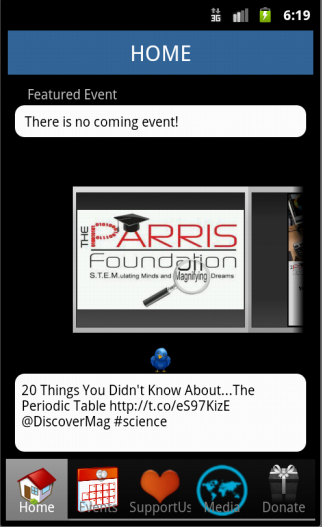


- PhoneGap Version in iphone
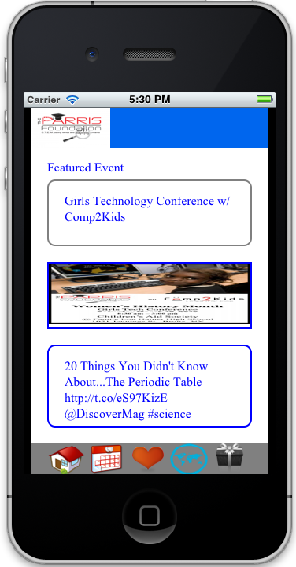 Actual Version in IPhone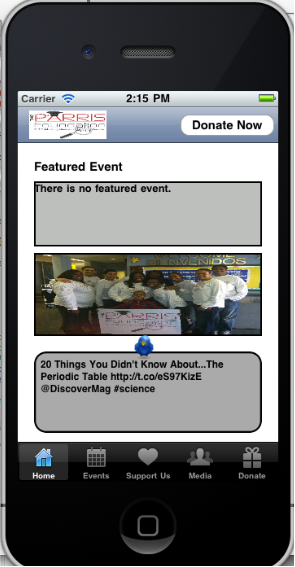


Project Members
- Osman Berk Buruncuk
